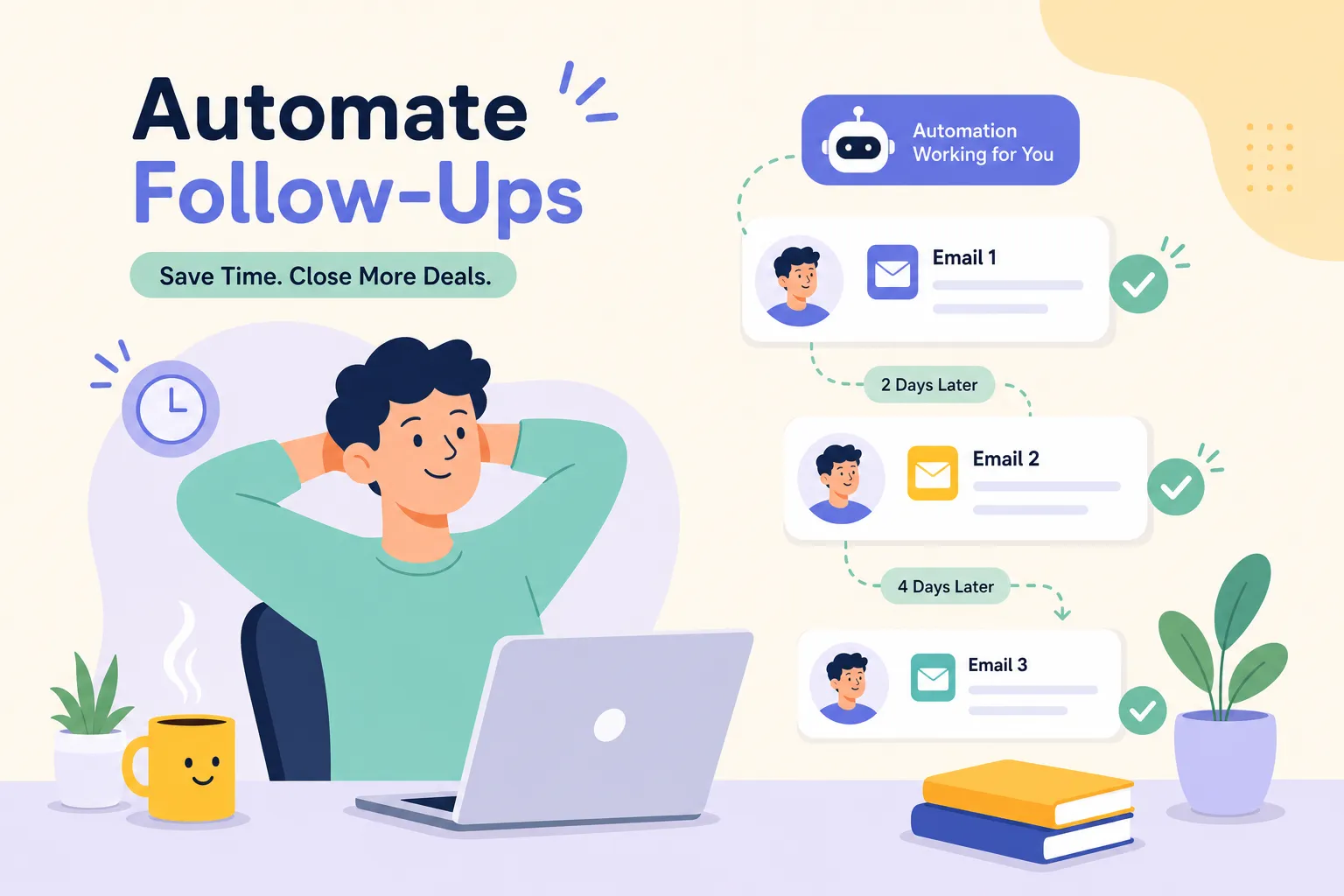
Follow-up gaps are one of the most common and fixable causes of lost leads for small businesses, and learning how to automate follow-up emails for your small business is the most direct way to close that gap. A prospect submits a form on a Thursday afternoon, your reply lands on Monday, and they have already signed with someone else. This is not a sales problem. It is a systems problem, and it has a straightforward fix.
At Pixel Panda, we frequently see the same pattern when we audit a client's digital setup: leads sitting in a CRM with no automated sequence behind them, just good intentions and a busy inbox. The follow-up gap is a common, highly fixable bottleneck for small businesses, and closing it does not require a developer or an enterprise software budget. What it requires is a clear sequence, the right tool, and a properly configured trigger.
This guide walks you through everything: choosing the right tool for your budget, structuring a three-to-four step sequence that actually converts, setting it up correctly, writing subject lines and templates that get replies, and staying compliant under South African law without landing in the spam folder.
If you want to map the wider process before choosing an email platform, start with our guide to automating lead follow-up for a small business, then use this article to configure the email sequence itself.
Why manual follow-ups are costing you more than you realise
In practice, most enquiries need four to six touches before a prospect responds. Most businesses send one email and wait. That gap between what is needed and what actually happens is where revenue quietly disappears. The longer the delay between an enquiry and your first response, the lower your conversion rate: businesses that respond within the same day convert prospects at a significantly higher rate than those that follow up two or three days later.
The problem is not effort; it is reliability. Manual follow-up depends on memory and availability, two things that busy business owners do not have consistently. Someone gets back from a client meeting, checks their inbox, and forgets about the lead from Tuesday. An automated follow-up email sequence removes that dependency entirely. It is a pre-written chain of emails triggered by a specific action, timed to send automatically, and configured to stop the moment the goal is met.
It is worth distinguishing between two types of automation before you build anything. Marketing automation covers nurture sequences and drip campaigns for prospects who are not yet ready to buy. Transactional automation covers post-purchase confirmations, onboarding emails, and review requests. Both matter, and both follow the same setup logic. The goal in either case is not to overwhelm people, it is to be consistently helpful until someone gives you a clear yes or no.
How to automate follow-up emails for small business, choosing the right tool
Mailchimp is the easiest entry point for businesses with a small list and straightforward needs. The visual builder is intuitive, the free tier is workable, and the template library gives you a solid starting point. If you have never built an automation before, start here.
HubSpot is the right choice when your email sequences need to connect with a sales pipeline. Its free tier supports CRM-linked workflows, lifecycle-stage triggers, and contact activity, making it genuinely useful rather than a stripped-down trial. If you want email to do more than send messages and actually move leads through a pipeline, HubSpot is a strong fit.
ActiveCampaign is built for businesses that need conditional, branching logic: send this email if the contact clicked that link, but send a different one if they visited the pricing page. It is more powerful, but it has a steeper learning curve and starts from around $15 per month. Do not choose it because it sounds impressive; choose it when your workflow genuinely requires branching behaviour.
Brevo and MailerLite are worth a mention as budget alternatives. Brevo suits high-volume senders because its pricing is based on emails sent rather than list size. MailerLite is a clean, simple option with a generous free tier and an accessible visual builder. Before choosing any tool, consider your list size, whether you need CRM integration, and how complex your logic needs to be. Map your answers to the tools above and you will have a decision in under two minutes.
How to structure a follow-up sequence that actually converts
Before you open any tool, get the sequence right on paper, structure matters more than the platform, because a well-timed, clearly written sequence will outperform a technically sophisticated but poorly planned one every time.
Email 1 (immediate): Confirm receipt, deliver whatever you promised, and state one clear next step. One call to action only. No options, no multiple links. Make it easy to know what to do next.
Email 2 (2-3 business days later): Add a new reason to respond. A relevant case study, a useful resource, or an answer to the most common objection you hear. Do not write "just following up." That phrase has never converted anyone. Give them something they did not have before.
Email 3 (4-5 business days later): Make a direct ask. Book a call, reply with a question, or offer a simple yes/no option. Keep it short. By this point, you are not adding information, you are asking for a decision.
Email 4 (5-7 days later, optional): The "close the loop" email. Low pressure, four lines maximum: "If this isn't a priority right now, no need to reply." This approach can improve reply rates by removing the social awkwardness of ignoring someone, and it gives you a clean signal on who is genuinely not interested.
Industry data on sequence performance points in a consistent direction: sequences with four to seven messages report reply rates around 27%, compared to roughly 9% for sequences with only one to three messages (Woodpecker, Yesware). For post-purchase automation, the pattern shifts: send a confirmation immediately, onboarding one to two days after delivery, a review request seven to fourteen days later, and a cross-sell or replenishment offer at twenty-one to thirty days.
The most important element in any sequence is the exit condition. The moment a contact replies, books a call, makes a purchase, or unsubscribes, the sequence must stop. Failing to configure this correctly is one of the most common mistakes in CRM email workflows, and it is entirely avoidable. A client who has already booked a call should not receive a "just checking in" email the next morning.
Setting up your automation step by step
Event-based triggers are almost always more precise than list-based triggers. Rather than enrolling everyone who joins an audience, fire your sequence when a specific action happens: a contact form is submitted, a tag is added in your CRM, or a purchase is completed. This precision means the right message reaches the right person at the right moment. An autoresponder setup built on event-based triggers is far less likely to send irrelevant messages to the wrong contacts.
The build process follows the same logic across Mailchimp, HubSpot, and ActiveCampaign, even though the menu paths differ. In Mailchimp, navigate to Automations and build from scratch. In HubSpot, use Sales then Sequences for outreach, or Workflows for marketing leads. In ActiveCampaign, go to Automations then Create.
Regardless of the platform, follow this structure:
1. Create the automation and name it clearly, for example, "New Enquiry Sequence" or "Post-Purchase Follow-Up." 2. Set the entry trigger: form submission, tag added, or CRM status change. 3. Add Email 1 to send immediately, followed by a time-delay action. 4. Add Email 2, another delay, then Email 3. 5. Before each subsequent email, add an If/Else condition or exit rule that checks whether the contact has already replied, converted, or unsubscribed.
Before enrolling real contacts, run a test. Enrol yourself or a colleague and move through the full sequence. Verify that personalisation tokens render correctly, delays fire as expected, and exit conditions work when you simulate a reply. Check every email on mobile: most of your recipients will read on a phone, and a message that looks clean on desktop can be unreadable on a small screen.
Subject lines and templates that get replies
The subject line is not a creativity exercise. It is a clarity exercise. Specific subject lines outperform vague ones every time. "Quick question about your website enquiry" will outperform "Just checking in" by a significant margin. Aim for around 50 characters or fewer to avoid truncation on mobile screens, reference the actual topic, and use the recipient's first name only where it reads naturally, not in every email.
Here are three templates to adapt immediately:
Email 1 subject: [Specific next step] for [First Name]
Body: Acknowledge the enquiry, deliver the promised resource or answer, state one clear next step, sign off briefly. No padding. For example: "Hi [Name], thanks for reaching out about [topic]. Here's the [resource] I mentioned, the next step is [action]. Let me know if you have questions."
Email 2 subject: Thought this might help with [specific challenge]
Body: Reference the original enquiry, introduce a new angle such as a case study or answered objection, close with a single question. The tone should feel like a useful message from a knowledgeable person, not a templated nudge.
Email 3 subject: Closing the loop on [topic]
Body: Acknowledge no reply, offer an easy binary option ("Is this still a priority, or should I close this out?"), keep it to four lines. No guilt, no pressure.
Staying out of the spam folder and keeping it compliant
Technical deliverability starts with domain authentication. Authenticate your sending domain with SPF, DKIM, and DMARC records. Every major email platform, including Mailchimp, HubSpot, and ActiveCampaign, has a guided setup for this. Send from a recognisable "From" name that matches your domain, avoid no-reply addresses, and keep your list clean: remove hard bounces, suppress unsubscribes immediately, and consider sunsetting contacts who have not opened in several months, commonly anywhere from three to twelve months depending on your business and send frequency.
For South African businesses, POPIA section 69 is the relevant legislation. Automated follow-up emails that promote a product or service count as direct marketing, and you need explicit prior consent from non-customers before adding them to a sequence. A form submission requesting a quote is not automatic consent to marketing. The existing-customer exception applies only when you collected the contact during a sale, the emails promote your own similar products or services, and you provided an opt-out both at collection and in every message. Every sequence must include a simple, one-click unsubscribe link, and opt-outs must be processed immediately and maintained on a permanent suppression list.
Never import purchased or scraped lists into your automation tool. Monitor your spam complaint rate and investigate any sustained increase above your platform's recommended benchmark, most major providers flag rates above 0.1% as a warning threshold worth acting on. Keep sequences finite; stop after four to six unanswered emails rather than running indefinitely. The goal is to identify interest, not to wear people down.
Getting it right from day one
Once you understand how to automate follow-up emails for your small business, the implementation details are where things go wrong. A misconfigured exit condition means contacts receive emails after they have already become clients. A missing DKIM record means your sequence lands in spam before anyone reads it. A consent gap on your contact form exposes your business to a POPIA complaint. Getting these details right from the start saves weeks of troubleshooting later.
The Pixel Panda team can map out the sequence, select the right tool for your specific setup, configure the triggers correctly, and test everything before a single real contact is enrolled. Our website audit frequently surfaces the follow-up gap as a significant growth bottleneck for small businesses, get in touch and we can show you exactly where yours is.
Automated follow-up emails remain one of the most underused levers available to small businesses. The compounding effect of a well-built sequence running 24 hours a day, responding within minutes, and stopping only when a lead converts or opts out, adds up quickly. Most of your competitors are still relying on memory and a busy inbox. You do not have to.