A potential client requests a quote on a Monday afternoon. You send a polished proposal the same day, follow up once on Wednesday, then a busy week swallows your attention. Three weeks later, they've signed with a competitor, not because the competitor's price was better or their service was superior, but because they sent four well-timed messages and you sent two. The deal didn't die at the proposal stage; it died in the silence that followed it. Automated follow-up emails exist precisely to prevent that silence.
This is the most common and most preventable lead-loss pattern for small service businesses. Automated follow-up email sequences close that gap by keeping the conversation alive based on triggers and timelines, not on whether someone remembered to check a spreadsheet. When your follow-up process is connected to a wider automation layer in which your CRM, email tool, and task system all communicate, the result is a consistent, professional experience that runs in the background while your team focuses on delivery.
This guide covers everything you need to build that system: which tool to choose, how to structure your sequence, how to personalise without it looking robotic, and when to step in yourself.
For the trigger, CRM, and hand-off logic around the emails, pair this walkthrough with our practical business follow-up automation setup guide.
Why small businesses keep losing leads after first contact
Industry data on sales touchpoints consistently places the majority of conversions between the third and eighth follow-up, yet most small businesses stop after one or two attempts. The first message gets sent promptly. The second, maybe. After that, other priorities take over and the lead goes cold. Meanwhile, a competitor with a basic automation sequence continues showing up in that person's inbox with useful, relevant messages.
The problem scales quickly. When your business handles five enquiries a week, manual follow-up is manageable with a bit of discipline. At fifteen or twenty enquiries, the system breaks down. An automated follow-up email sequence removes the dependence on memory and spare time by triggering messages based on actions, or the absence of them, rather than relying on a to-do list that keeps getting pushed back.
Picking the right tool for your follow-up workflow
The email automation tool market is crowded, but the right choice for a service business comes down to three things: the complexity of your sequences, whether you need built-in CRM functionality, and your budget. For most small South African service businesses, a handful of platforms cover the range well.
- ActiveCampaign suits businesses that need complex, multi-step autoresponder sequences with conditional logic and lead scoring. Entry-level plans start around $15 per month, with more advanced tiers from $49 per month. - HubSpot is a strong option when you want marketing, sales pipeline, and reporting in one place. It offers a free tier and paid plans from approximately $15 per seat per month, though meaningful automation depth requires higher tiers. - Brevo works well for businesses with larger lists and tighter budgets, with plans from roughly $9 per month. It also adds SMS and WhatsApp channels if you need them. - Mailchimp covers the basics from about $13 per month and is a practical entry point for simpler needs, though its automation depth is limited on lower tiers.
Before committing to any platform, confirm three things: whether it integrates natively with your CRM, whether it supports conditional branching so emails adapt based on recipient behaviour, and whether it can stop a sequence automatically when someone replies or converts. A tool that keeps firing automated messages after a human has already responded is a credibility killer. Most quality platforms handle this correctly, but verify it before you build your entire sequence inside the tool.
How to structure automated follow-up emails: timing, touches, and flow
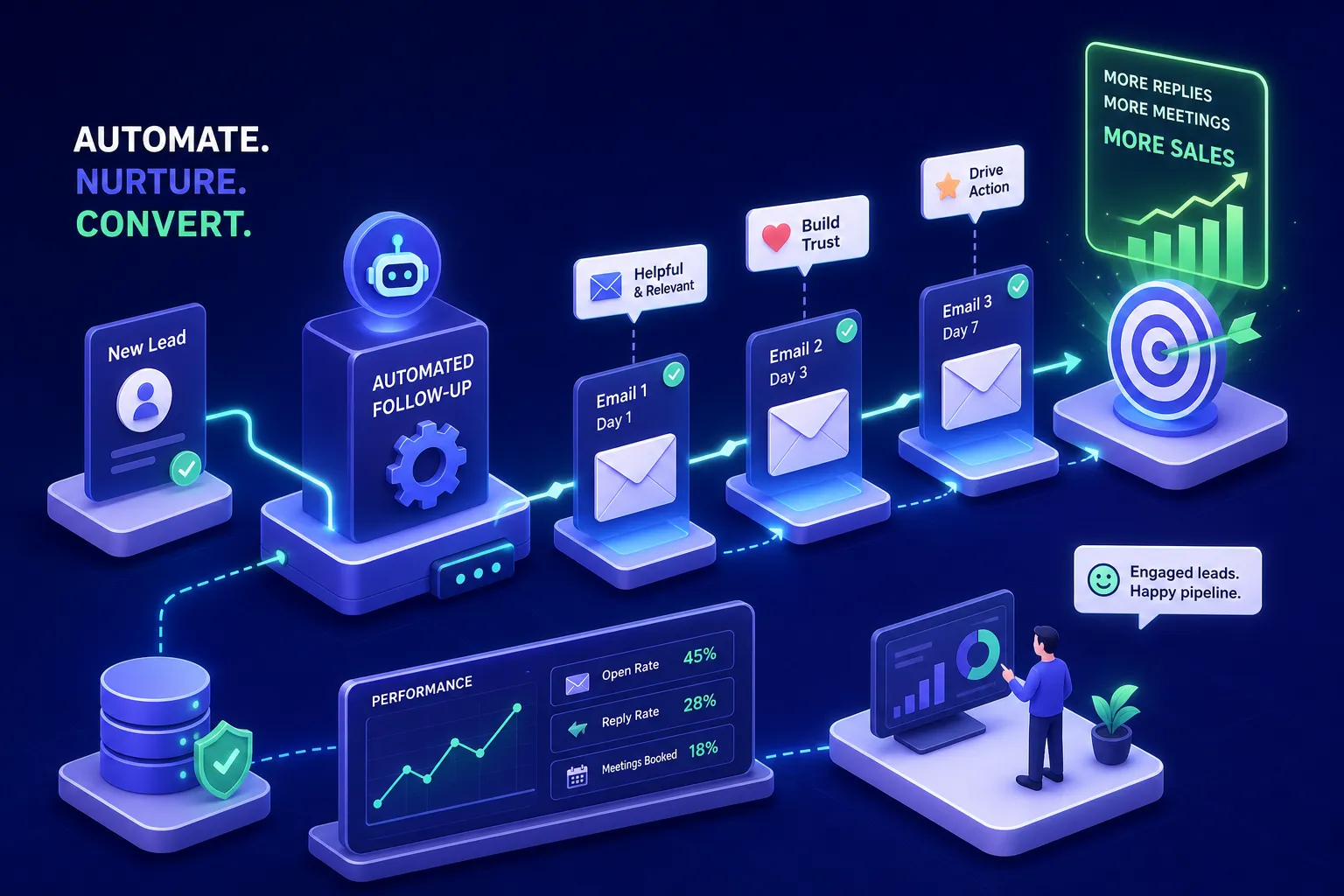
For a B2B service enquiry or quote follow-up, a five to six touch sequence over three to four weeks is a reliable starting structure. Send the first email immediately after the trigger event, whether that's a form submission, a submitted quote, or a completed meeting. Follow up two to three days later if there's no reply, add a proof-point or useful resource email at day five to seven, send a reframe or "is this still relevant?" message at day fourteen, and close the loop respectfully at day twenty-one.
Timing your touches
For simpler scenarios like appointment reminders or post-purchase check-ins, two to three touches with tighter timing is usually enough: same day, then twenty-four to forty-eight hours before the event or deadline. The structure changes based on what you're following up on, but the principle stays the same: each message should have a specific job to do.
Content per touch
The biggest mistake businesses make is sending follow-ups that just say "following up on my previous message" without adding anything new. A drip campaign sequence earns replies by giving the recipient something fresh at each touch: a relevant case study, a question tied to their specific situation, a resource that addresses a common objection, or a clear decision point that makes it easy to say yes or no. Consulting a set of follow-up email templates can help here, having a bank of proven formats for each touch point reduces the time it takes to build and test new sequences. If your follow-up doesn't give someone a new reason to respond, it's just noise in their inbox.
Getting personalisation and subject lines right
Personalisation in automated follow-up emails works best when it's specific and accurate rather than clever. Use reliable merge tags, first name, company name, the service they enquired about, the date of their initial contact, and set a fallback value for every field so a broken token never reaches a live inbox. Limit personalisation to two or three meaningful elements per email; more than that increases the chance of awkward copy or, worse, a visibly broken message that signals the automation behind it.
For larger contact lists, dynamic content blocks let you swap out industry-specific pain points or relevant case studies without building a separate template for every segment. A consultant following up with a clinic gets different language and proof points than one following up with a logistics company, even if the underlying offer is the same. One well-placed, relevant detail consistently outperforms a heavily personalised email built on incomplete CRM data.
Subject lines for sales follow-up automation perform best when they reference something specific. "Questions about your website estimate" outperforms "Just checking in" on almost every benchmark. For calls to action, give the reader two concrete options rather than a vague ask: "Would Tuesday or Wednesday work for a quick call?" gets more responses than "Let me know if you'd like to chat." Keep each email focused on one primary call to action to avoid decision paralysis, and you'll see reply rates lift noticeably.
Knowing when to hand off to a real person
Not every lead should be nurtured to close through automation alone. Certain behaviours signal that a contact is ready for a human conversation: clicking through to a pricing page multiple times, replying to any email in the sequence, requesting a call or a quote, or opening the same message several times within a short window. These are high-intent signals, and treating them the same as passive opens is a missed opportunity.
Most CRM platforms and email automation tools can track these signals and score leads accordingly. When a contact crosses a defined threshold, say, two pricing page visits, a case study download, and a recent email click all within the same week, the sequence should pause automatically and the right team member should be notified to take over.
The cleanest way to manage this handoff is to build it directly into the automation workflow rather than relying on someone to check a dashboard. When the trigger fires, the sequence stops, a task is created in the CRM, and the assigned person receives an internal notification. This type of connected workflow, one where the email sequence, the CRM, and the task management tool all communicate, ensures nothing gets missed and no lead falls through the cracks.
Automated follow-up emails: deliverability, POPIA compliance, and staying out of spam
In South Africa, automated follow-up emails sent for marketing purposes fall under POPIA's direct marketing rules. Unless a recipient has given specific, informed consent, the only other valid basis for marketing email is the existing-customer exception, and that applies only when contact details were collected during a prior sale, the message promotes similar products or services, and every email includes a clear opt-out. A website enquiry form alone does not constitute consent for ongoing marketing communications, and a purchased or scraped list gives you no valid basis at all.
Include a working unsubscribe link in every email, honour opt-outs immediately, and maintain a suppression list that syncs across your CRM, automation tool, and sales system. Keep records of who consented, when, what they consented to, and how consent was captured. That compliance burden is manageable if set up correctly from the start; it becomes a problem only when lists are built carelessly and suppression is treated as an afterthought.
On the technical side, authenticate your sending domain with SPF, DKIM, and DMARC before your sequence goes live. Without these records in place, even well-written emails land in spam. Remove hard bounces immediately, suppress contacts who consistently don't engage, and avoid blasting a full sequence from a brand-new domain. Warm new domains up gradually, monitor bounce rates and complaint rates after each send, and pause the sequence if any metric spikes unexpectedly. A clean, permission-based list of five hundred contacts consistently outperforms a large, unvetted list of five thousand on every deliverability metric that matters.
Measure, refine, and scale what works
Once your sequence is live, the benchmarks to watch are open rate, reply rate, and the downstream conversion you actually care about, whether that's a booked call, an approved quote, or a confirmed appointment. For B2B follow-up sequences, a healthy target is 40% or more opens, 3% or more clicks, and 5% or more human replies. B2C transactional follow-ups typically see 35% to 60% opens on high-intent messages. Treat open rates as directional rather than definitive, since privacy features and email scanners inflate them; reply rate is the more honest signal of genuine engagement.
When a particular email in your sequence consistently underperforms, low clicks, low replies, or a spike in unsubscribes, change one thing at a time: the subject line, the call to action, or the timing. Running multiple changes at once makes it impossible to know what moved the needle. After two to three cycles of testing, you'll have a sequence grounded in real data rather than assumptions about what your audience responds to.
Start with one sequence built around your most common enquiry type, measure it properly, and only then expand to other workflows. A focused, well-built automation will do more for your pipeline than an elaborate system that never gets finished. If you want help building automated follow-up emails that convert, get in touch with the team at Pixel Panda for a free audit that identifies where your follow-up process is leaking leads and what a practical first sequence would look like for your business.