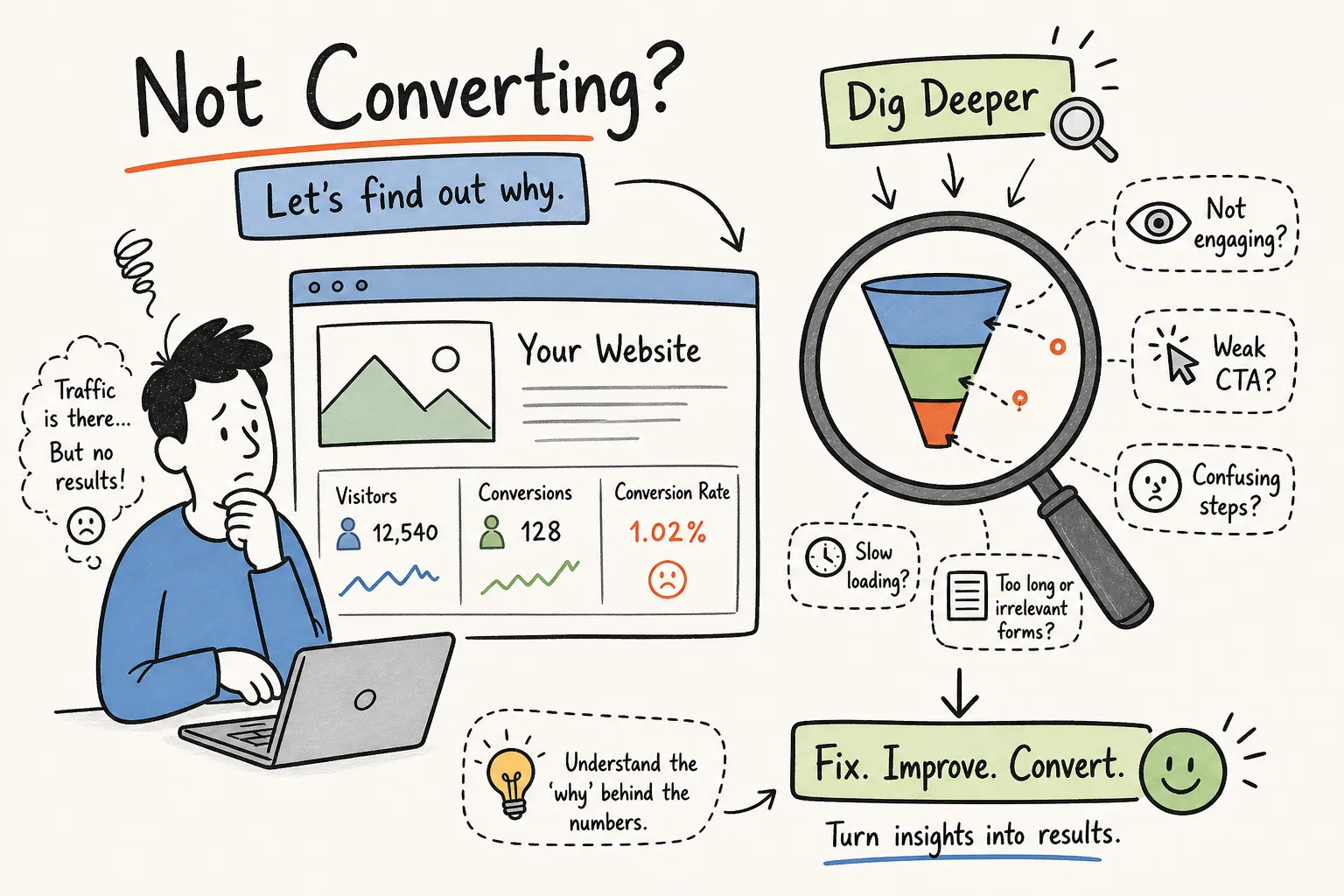
Traffic that does not convert is one of the most demoralising positions a business owner can be in. You are paying for ads, publishing content, and watching visitor numbers climb, but your enquiry inbox stays quiet. If you are asking yourself, "How do I find out why my website is not converting visitors into customers?", this self-audit will show you exactly where to look. At Pixel Panda, we regularly review many websites, and a consistent pattern emerges: often the core issue is what happens after a visitor lands, though traffic quality and intent mismatch are also frequent causes worth investigating.
The good news is that you do not need a developer or a full agency engagement to diagnose the problem. This article walks you through a focused self-audit covering five diagnostic layers: your analytics data, visitor behaviour, form and CTA inspection, technical and trust signals, and your messaging. Work through these in order and most audits produce a clear, prioritised list of fixes within a few days, depending on your traffic volume and site complexity.
If you already know traffic is reaching the site, compare this diagnostic process with our guide to fixing a website that gets traffic but will not convert.
How do I find out why my website is not converting visitors into customers, start with analytics
What GA4 funnel data tells you about your conversion path
Before you can fix a conversion problem, you need to know exactly where in the journey visitors are leaving. Open Google Analytics 4, navigate to Explore, and build a simple funnel exploration using your three key pages: homepage, service or product page, and contact or checkout page. Set each step as a page_view event filtered by the specific page path. The resulting chart will show you, in plain numbers, how many visitors complete each step and where the biggest drop-off occurs.
That single drop-off point is your starting target. In most service business sites, one step accounts for the majority of lost conversions rather than several steps equally. Find that step first, then diagnose why. Do not try to fix the whole funnel at once.
The difference between bounce rate and exit rate
These two metrics are easy to confuse, but they point to very different problems. A high bounce rate on a landing page means visitors arrived and immediately left without viewing another page, a signal of messaging or expectation mismatch, where the page did not deliver what the visitor came looking for. A high exit rate on a form or contact page means visitors explored your site, reached the conversion point, and then left. That signals friction further down the funnel, not a problem with how they arrived.
Misreading one for the other leads you to fix the wrong thing. Rewriting your homepage headline will not help if the real problem is a confusing contact form. Identify which metric applies to your problem page before deciding on a solution.
Segmenting by traffic source and device
A site-wide conversion rate tells you very little on its own. The more useful question is whether the conversion problem is concentrated in a specific channel or device type. In GA4, slice your data by channel (organic, paid, social, direct) and by device category (mobile versus desktop). If your site converts well on desktop but poorly on mobile, that is a UX and layout problem, not a messaging problem. If paid traffic converts and organic traffic does not, you likely have an intent mismatch on your landing pages. Segmenting first saves hours of diagnostic effort by pointing you at the right layer immediately.
Use heatmaps and session recordings to see what visitors actually do
What heatmap data reveals that analytics cannot
Analytics tells you where visitors drop off. Heatmaps tell you what they were doing on the page when they did. A click map shows whether visitors are clicking your call-to-action or getting distracted by non-clickable elements that look interactive. A scroll depth map shows whether your key content, pricing information, or contact form sits below the point where most visitors stop scrolling. Microsoft Clarity is a completely free tool that provides both heatmaps and session recordings, and installation on most websites is straightforward with no coding required.
What to look for in session recordings
Session recordings show real visitor journeys on your site. When reviewing them, watch specifically for rage clicks (rapid repeated clicks on an element that is not responding), hesitation before or inside a form, and consistent drop-off at the same point across multiple sessions. These patterns surface friction that no analytics dashboard can explain. As a practical starting point, filter recordings to sessions lasting 30 seconds or longer: these tend to be engaged visitors who still did not convert, which makes their behaviour particularly useful for diagnosis.
The most telling signals on high-intent pages
Concentrate your heatmap and recording review on your service pages, pricing pages, and contact page. These are the pages that attract the most conversion-ready visitors, so problems here have the highest direct cost. If visitors are scrolling past your CTA without clicking, this often points to layout or copy issues, insufficient urgency, poor visibility, or a mismatch between what the visitor expects and what the button offers. Investigate further with heatmaps and A/B tests before drawing conclusions. If visitors open the form and abandon it, the friction is likely inside the form itself, which points to the next diagnostic layer.
Inspect your forms, CTAs, and enquiry path
The contact form mistakes that silently kill enquiries
Most service business contact forms ask for far more information than a first conversation requires. Asking for phone number, company name, project budget, and job title before you have even spoken to someone creates unnecessary resistance. The goal of the form is one thing: get the enquiry in. Every additional required field is a reason for a hesitant visitor to close the tab.
Beyond field count, check for four other common killers: no reassurance copy near the submit button (a simple "We respond within one business day" goes a long way); generic placeholder text that tells visitors nothing; a vague submit button label like "Send"; and no confirmation message after submission. A visitor who submits a form and sees nothing happen does not know whether it worked. Many simply assume it did not and never follow up.
How to audit your calls-to-action for clarity and placement
A CTA audit checks three things: whether the action is obvious, the copy specific, and the placement timed to the page flow. Test this simply, if a first-time visitor can read your CTA and immediately know what happens next, it passes. If there is any ambiguity, it fails. "Get your free website audit" passes. "Submit" fails. "Learn more" fails. Check your CTA above the fold, at mid-page, and at the footer. Each placement should use specific, outcome-driven language rather than a generic instruction.
Technical and trust checks that directly affect your conversion rate
The page speed thresholds most businesses are missing
Three Core Web Vitals have the clearest measurable impact on conversion rates. LCP (Largest Contentful Paint) measures how quickly your main content becomes visible. According to Google's Web Vitals research and independent conversion studies, sites with LCP under 1.5 seconds convert at materially higher rates than those above 6 seconds. INP (Interaction to Next Paint) measures how quickly your page responds after a visitor interacts with it: industry benchmarks associate scores above 200 milliseconds with a meaningful reduction in conversion rate, with some datasets indicating drops in the region of 23%. CLS (Cumulative Layout Shift) measures visual stability, Google's own data links a CLS above 0.25 to significantly higher form abandonment rates.
Run your site through Google PageSpeed Insights and check these three numbers specifically. Pay closer attention to your mobile score. For most service businesses, mobile is the dominant device, and mobile scores are often considerably worse than desktop scores on the same site.
Trust signals that most service business websites overlook
Trust signals are the quiet conversion drivers that most technical audits miss entirely. Run a five-minute visual scan of your highest-intent pages and check for the following:
- Real client testimonials with full names and photos, not anonymous generic quotes - Professional accreditation logos or industry association membership - A clear privacy note near your contact form - An About page that shows the actual people behind the business - A visible phone number or physical address for businesses that serve local clients
Any one of these missing on a high-intent page reduces the perceived safety of enquiring. Visitors do not consciously think "this site lacks trust signals." They just feel uncertain and leave.
Messaging and value proposition: the diagnostic most people skip
Does your headline pass the five-second test?
A first-time visitor should be able to read your homepage headline and immediately understand what you do, who it is for, and what they should do next. Most service business websites fail this because the headline describes the company instead of solving the visitor's problem. Consider the difference between "Innovative solutions for modern businesses" and "We help Cape Town law firms book more consultations through their website." The second version passes. The first tells the visitor nothing useful.
Rewriting a vague headline is one of the highest-impact, lowest-effort changes you can make. Identify your most specific client outcome and put that in the headline. The copy further down the page can explain the how.
Spotting intent mismatch between your traffic and your landing page
Intent mismatch is one of the biggest reasons a site converts well from direct traffic but poorly from organic search or social. It happens when a visitor arrives looking for information or comparison, but your page immediately pushes for a booking or purchase. They are not ready for that step yet, and no amount of CTA tweaking will change that.
To check for this, open Google Search Console and filter by your top landing pages. Review the actual search queries bringing visitors to each page. Then ask honestly: does what the visitor was searching for match what the page is offering? If your service page ranks for informational queries like "how does X work" or "what is the difference between X and Y," but the page immediately asks for a contact, you have a mismatch. The fix is either to adjust the page to address the informational intent before making the ask, or to target a different keyword set whose intent is genuinely service-oriented.
Prioritise your fixes and take the shortcut
How to rank your conversion blockers after the audit
After working through the five diagnostic layers, you will likely have a list of four to eight issues. Rank them on two axes: impact (how many visitors does this affect, and how close are they to converting?) and effort (how long does this take to fix?). The highest-priority fix is always the one with the highest impact and the lowest effort. Fix that first, measure the result over two to three weeks, and then move to the next item on the list. This bottleneck-first approach prevents the common mistake of rebuilding a whole website when one form change would have solved the conversion problem.
How Pixel Panda's free website audit tool shortens the whole process
If you want diagnostic findings without spending several hours inside GA4, Clarity, and PageSpeed Insights, Pixel Panda's free website audit tool automates a first-pass technical and conversion readiness scan and produces a prioritised checklist. It is best used as a starting point rather than a replacement for the qualitative work described in this article, it eliminates the data-gathering phase and gets you to the issue list faster, so you can focus on interpreting and acting on the findings.
Traffic without conversions is a fixable problem, but only once you know precisely where visitors are losing confidence in your site. If you are still asking how do I find out why my website is not converting visitors into customers, run through the website conversion checklist in this article: your analytics funnel to find the drop-off point; heatmap and recording data to understand visitor behaviour on the page; a form and CTA audit to remove enquiry friction; a technical and trust check to eliminate the quiet conversion killers; and a messaging review to ensure your page matches what your visitors actually came looking for. You do not need to fix everything at once. Find the single biggest conversion blocker and start there. If you want a faster path to that answer, Pixel Panda's free website audit does the diagnostic heavy lifting for you.