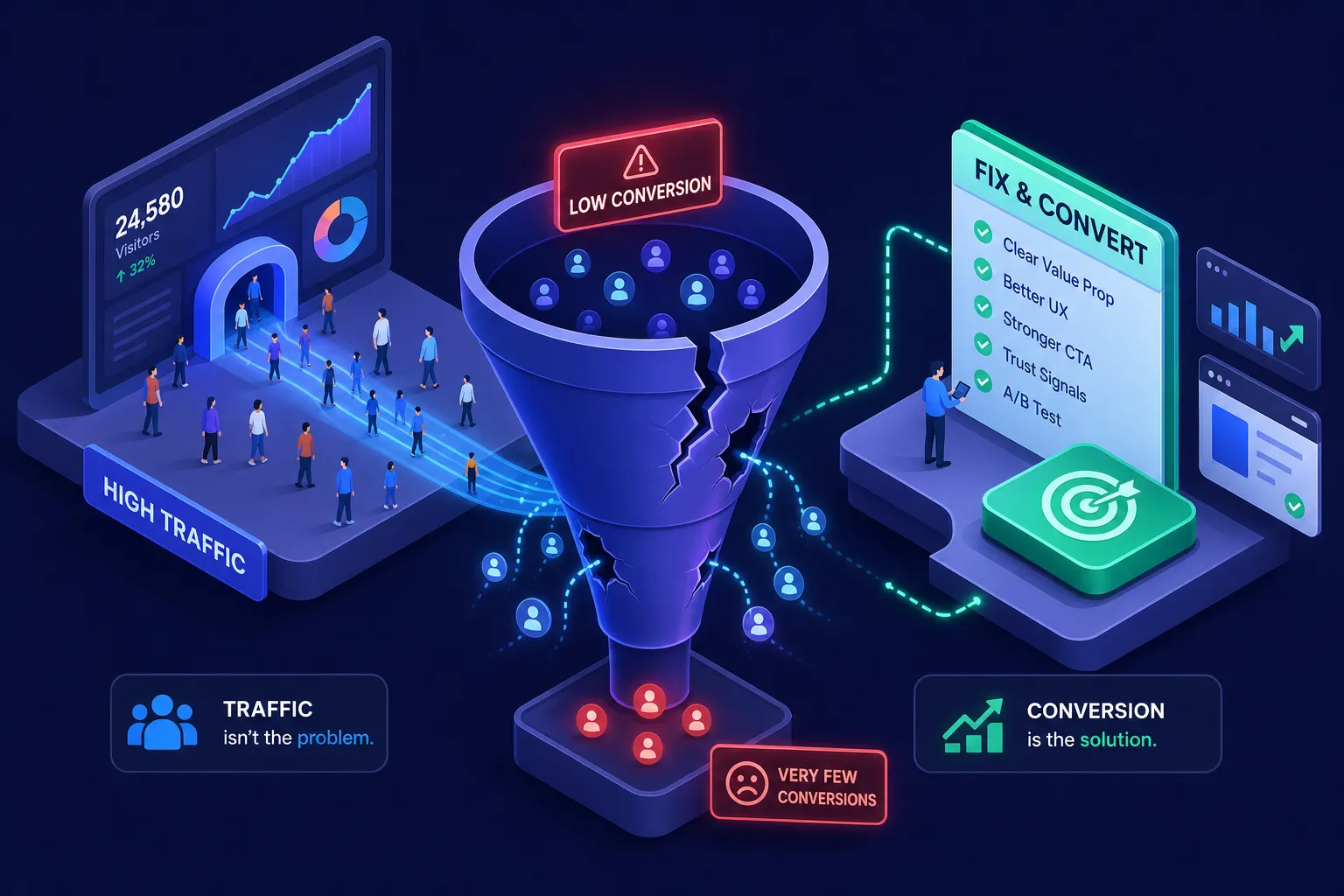
Your analytics show a steady stream of visitors. Your inbox tells a different story. If you're trying to work out how to fix a website that doesn't convert visitors, you're not alone, this gap between traffic and leads is one of the most frustrating positions a business owner can find themselves in, and it is far more common than most realise. For South African small businesses in particular, the instinct is usually to blame low awareness or a quiet market. The traffic data suggests something different: people are finding you. They are just not taking the next step.
Often the problem is not sheer volume but a mismatch of intent, or what happens after the click. A visitor arrives with a specific expectation, and something in those first critical seconds fails to convince them to stay, scroll, or enquire. Before spending another rand on ads or SEO, it is worth understanding exactly where that breakdown is happening. The businesses that grow consistently are not the ones chasing more traffic; they are the ones who fix the leak in the bucket first.
If you need a measurement-led diagnosis before making changes, work through our guide on how to find out why your website is not converting. Once the main leak is fixed, these 15 website lead generation tactics can help you improve capture without adding random complexity.
Why random fixes rarely solve a conversion problem
Most business owners respond to low conversions by tweaking things without a clear framework: a button colour changes here, a paragraph rewrites there, maybe a new hero image goes up. These changes are not wrong, but without understanding which specific friction point is stopping visitors from enquiring, they are unlikely to shift the needle. A conversion rate optimisation (CRO) audit maps the actual journey a visitor takes through your site, identifies where they drop off, and surfaces the single highest-impact fix to prioritise first.
This is exactly where [Pixel Panda's free website audit](https://pixelpanda.co.za/services/websites-that-measure-results) becomes useful. Rather than guessing what is broken, you get a structured view of your conversion blockers before spending time or money on changes. The audit examines messaging clarity, CTA visibility, trust signals, page speed, mobile experience, and form friction, all the elements this guide covers in detail. Fixing the right thing first is almost always faster and cheaper than trying to fix everything at once.
What a conversion audit actually examines
A thorough audit reviews headline clarity, CTA placement and copy, the presence of trust signals, page speed scores, mobile usability, form length, and whether conversion tracking is set up correctly. These areas account for most of the common conversion blockers on service business websites. When all seven are working together, even modest traffic volumes can generate consistent enquiries.
How to prioritise what to fix when everything feels broken
Not all fixes are equal. Some changes take an hour and shift results significantly; others take weeks and move very little. A useful mental model is to score each potential fix by its conversion impact versus its implementation effort. High-impact, low-effort changes come first. This is the bottleneck-first principle: diagnose the single biggest constraint, fix that, measure the result, then move on to the next.
How to fix a website that doesn't convert visitors, start with your headline
Your homepage headline has a matter of seconds to answer three questions: what you do, who it is for, and why it matters. If a visitor cannot answer all three without scrolling, a significant portion will leave immediately. This is one of the most common conversion killers on South African service business websites, and it is one of the fastest to fix. Vague headlines like "Welcome to our website" or "Solutions for your business" give a visitor nothing to anchor to.
A strong value proposition is specific and outcome-focused. Compare "We help businesses grow" with "We help Johannesburg accounting firms get 30% more client enquiries from their website." The second version speaks directly to an audience, names a measurable result, and earns the visitor's attention almost immediately. Your headline does not need to be clever; it needs to be clear.
How to write a headline that converts
A reliable formula is: audience plus outcome plus differentiator. Name exactly who you serve, state the result they get, then add what makes your approach different. Take a Sandton physiotherapy practice as an example: "Helping busy professionals recover faster, without waiting three weeks for an appointment." Both specific and local. Your headline is not your branding exercise; it is your first sales conversation.
Message-to-traffic alignment
When a visitor arrives from a Google ad that promises one thing and your landing page headline says something different, they leave within seconds. This misalignment is called message mismatch, and it produces some of the highest bounce rates in digital marketing. If your ad promotes a specific offer, your landing page headline should echo that promise directly. Every click carries an expectation; your page needs to honour it immediately. Landing page optimisation starts here, with alignment between what brought the visitor and what greets them.
Make your calls to action impossible to ignore
A call to action tells a visitor exactly what to do next. When a page has no clear CTA, or has too many competing ones, visitors default to doing nothing. The fix is straightforward: every page should have one primary action you want visitors to take, and that action must be visible without scrolling on both desktop and mobile. Secondary CTAs for lower-intent visitors are fine, but they should never compete visually with the primary one.
Button copy matters significantly more than most people realise. "Submit" and "Click here" consistently underperform against outcome-oriented alternatives. First-person language and specific offers reduce hesitation because they set clear expectations. Options like "Get my free quote," "Book a 20-minute discovery call," and "Request pricing" outperform generic labels because they tell the visitor exactly what happens next and what they receive in return.
Where to place CTAs on a page
Place your primary CTA above the fold on every key page, meaning it is visible before a visitor scrolls at all. On longer pages, repeat the CTA mid-page and at the bottom. Visitors who read to the end are often the most ready to enquire, and failing to give them a clear next step at that point is a missed opportunity. On mobile, the button must be large enough to tap comfortably and should not be crowded by other elements.
Button copy that earns the click
Avoid "Submit," "Continue," or "Send." Use action verbs that name the benefit: "Get my free quote," "Book your consultation," "Start my free audit." Adding a timeframe or the word "free" has been shown in many A/B tests to improve click-through rates when used truthfully and in the right context. Match the copy to the visitor's stage: someone reading a blog post is earlier in their journey than someone who has already visited your pricing page, so the ask should reflect that difference.
Add trust signals before asking for anything
Even when your headline is clear and your CTA is visible, a visitor who does not know you needs evidence that others have worked with you and found it worthwhile. Without trust signals, even a well-designed site will consistently underperform. The hesitation is not about interest; it is about perceived risk. Your site needs to remove that risk before it asks for anything.
The most effective trust signals for service businesses are specific testimonials with real names, industries, and outcomes rather than generic praise. A testimonial that reads "Fantastic service!" carries almost no weight. One that reads "We increased our online enquiries by 40% within two months" is persuasive because it names a result and is attributable to a real experience. For South African audiences, locally relevant testimonials can be more persuasive: a prospect from Durban is likely to find a testimonial from a Durban business more credible than an anonymous five-star review.
Other credibility signals worth adding quickly
Beyond testimonials, add partner logos, industry certifications, media mentions, and a clear response-time commitment such as "We respond to all enquiries within one business day." Security badges on forms reduce anxiety at the moment of highest friction, immediately before submission. A transparent process or pricing page, even a general one, signals confidence and reduces the fear of the unknown that stops many visitors from enquiring at all.
Remove the technical friction that kills conversions
Two technical issues cause more conversion losses than almost anything else: slow page speed and unnecessarily long forms. Both are fixable without rebuilding your entire site, and the impact is measurable. According to Google's Core Web Vitals research, a one-second delay on desktop reduces conversions by roughly 7%. On mobile, the penalty is steeper, up to 20% per additional second of load time. For most small business websites, the fastest wins come from compressing images, removing unused plugins or scripts, and enabling browser caching.
For forms, the principle is simple: ask for the minimum information you need to have a useful first conversation. Most enquiry forms that convert well use three to five fields, enough to qualify the lead without adding unnecessary friction. High drop-off is almost guaranteed if you ask for a physical address, company size, and budget range before the visitor has spoken to anyone. For a first enquiry, name, email, phone number, and a brief description of their need is sufficient. Additional information can be gathered once the conversation has started.
Speed fixes any business can action this week
Run your site through Google's PageSpeed Insights or check Core Web Vitals in Google Search Console. The report flags the biggest offenders directly. Common quick wins include converting images to WebP format using a free compression tool, removing plugins that load unnecessary scripts on every page, and enabling caching through your hosting provider. These changes alone can meaningfully reduce load time on most small business sites without touching a single line of code.
Form simplification: what to keep and what to cut
Every extra field adds friction, and performance tends to fall noticeably once you exceed five fields. Audit your current lead form against this question: does this field help us have a better first conversation, or does it help us avoid having the conversation altogether? If it is the latter, remove it. Start with three to five fields and test adding a sixth only if the business case for extra qualification clearly outweighs the conversion cost.
Track what is changing so you can improve with confidence
Fixing conversion problems without measurement is simply guesswork applied differently. Before making any changes, you need a baseline: how many visitors are reaching your key pages, how many are submitting enquiry forms, and where they are dropping off. After making changes, you need to confirm whether those changes actually worked. Without this, you are flying blind in both directions.
Google Analytics 4 is the foundation. Set up conversion events for every form submission, phone number click, and key page view. Pair GA4 with Microsoft Clarity, which is free and has no traffic limits. Clarity provides heatmaps and session recordings of real visitor behaviour. Heatmaps show where people click, how far they scroll, and which elements they ignore entirely. Session recordings show the actual journey, including where visitors hesitate, abandon a form midway, or click on elements that do nothing. Used together, they turn abstract drop-off statistics into specific, fixable friction points.
Setting up GA4 conversion tracking correctly
For a service business, track these essential events: form submissions confirmed on the thank-you page, phone number clicks, primary CTA button clicks, and enquiry confirmation page views. If your tracking only records sessions and page views, you are missing the data that actually tells you whether your site is working. Broken or missing conversion tracking is one of the most common reasons businesses misdiagnose their growth problem entirely.
Using heatmaps and session recordings to find friction fast
In Microsoft Clarity, filter session recordings to show non-converting visits, then look for repeated patterns: rage clicks on elements that do not respond, visitors scrolling past your CTA without engaging, or users abandoning a form after the second field. Each pattern is a test hypothesis. Change one element, run it for two to four weeks against your baseline, and measure the result. One clear pattern from real session recordings is worth more than a dozen assumptions.
Website conversion checklist: fixes to prioritise first
The path from "traffic but no leads" to consistent enquiries is rarely about getting more visitors. It is about removing the friction that stops the visitors you already have from taking the next step. Fix your messaging clarity first, sharpen your CTAs, add credible trust signals, reduce technical friction, and measure everything so each improvement builds on the last.
The businesses that convert well are not necessarily those with the biggest marketing budgets. They are the ones that know exactly where their funnel is leaking and iterate with data rather than guesswork. The average South African service business website converts at roughly 1% to 3% of visitors into enquiries, the best-performing ones sit well above that, and the difference is almost always in the fundamentals covered here.
Following these steps will help you fix a website that doesn't convert visitors and turn existing traffic into consistent enquiries. If you are not sure where your site is losing leads, Pixel Panda's free website audit gives you a structured review of the specific conversion blockers on your site, with no obligation to spend anything until you know exactly what needs fixing and why. That kind of clarity is worth far more than another month of random tweaks.