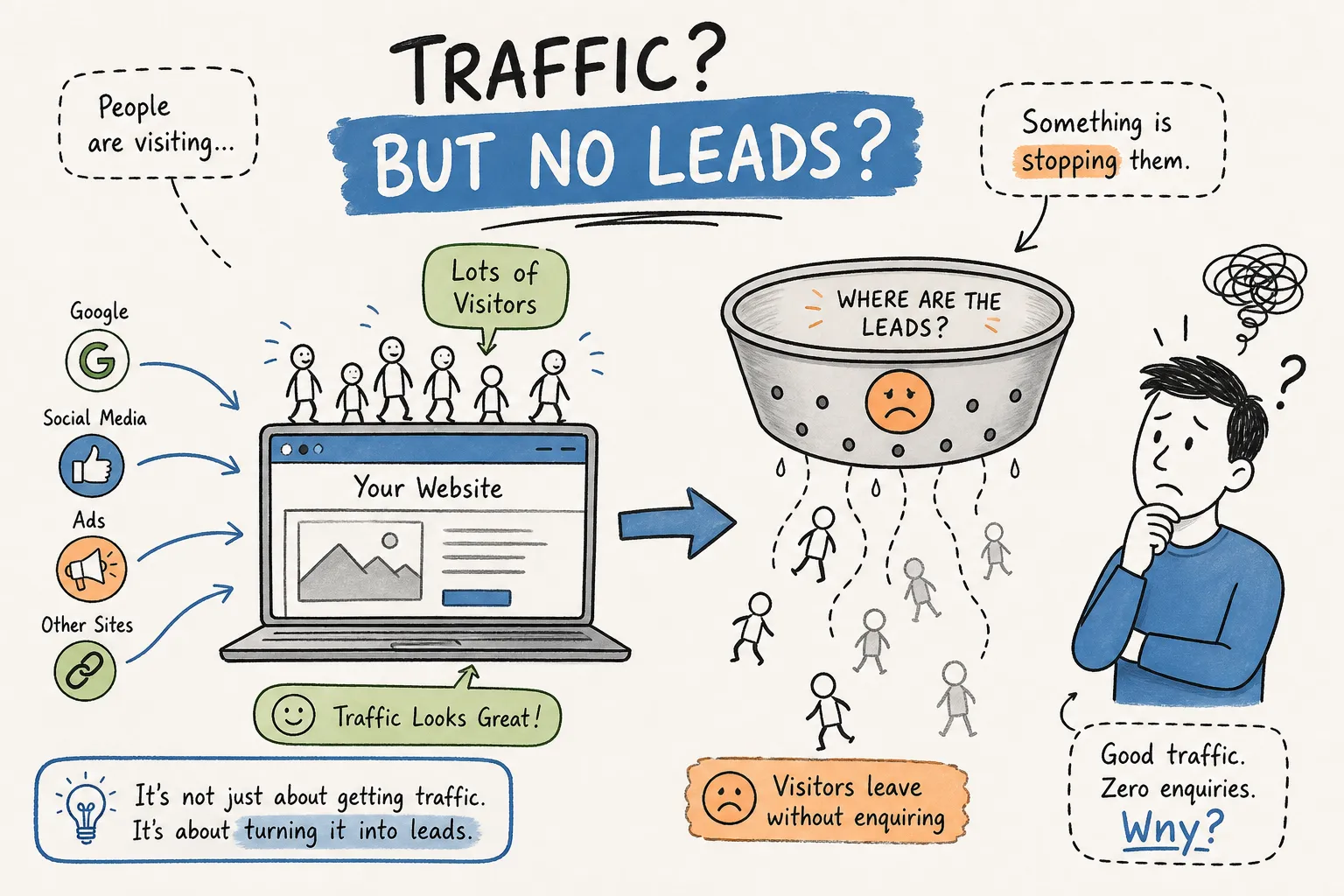
You open Google Analytics and the traffic numbers look reasonable. People are finding your site, clicking through, and spending time on your pages. But the enquiry inbox is empty. No contact form submissions. No calls. Nothing. If you've ever asked yourself why your website is getting traffic but no leads or enquiries, you're not alone, and the answer is almost never what most business owners assume.
At Pixel Panda, this is one of the most consistent patterns we encounter when auditing websites for South African service businesses: solid traffic, near-zero conversions. A consultancy with 2,000 monthly visitors and two enquiries a month. A professional services firm ranking on page one for their industry term, attracting researchers rather than prospective clients. In our experience, the problem is rarely the traffic volume. It is almost always something happening on the site itself, between the moment a visitor arrives and the moment they decide whether to reach out.
This article walks through the four most common conversion barriers we find during site reviews, along with a practical method for identifying which one is costing your business the most enquiries right now.
For a hands-on investigation using analytics, heatmaps, forms, and messaging checks, follow the companion guide on how to find out why your website is not converting.
Why your website gets traffic but no leads: it's a conversion problem, not a traffic problem
The first instinct most business owners have when leads dry up is to drive more traffic. More Google Ads spend, more blog posts, more social activity. It's a natural response, but it treats the symptom rather than the cause. If your site converts one visitor in every 200, doubling your traffic doubles your enquiries to two per 200. The ratio stays broken.
The metric that actually matters is your visitor-to-lead conversion rate. For most South African service businesses, a healthy rate sits somewhere between 2% and 5%, broadly consistent with benchmarks seen across comparable markets. Below 1% is a clear signal of a structural problem on the site. A site with 500 highly relevant, high-intent visitors will consistently outperform a site with 5,000 mismatched visitors who were never going to enquire in the first place.
The compounding issue is that many business owners monitor session counts in Google Analytics but have never set up conversion tracking. Without visibility into how many people reach the contact page, click the enquiry button, or start filling in a form, diagnosing the problem is guesswork. You can see that visitors arrive. You can't see where they leave, or why. Setting up conversion tracking in GA4 is the essential first step in any conversion rate optimisation (CRO) effort.
Mismatched traffic intent: the first conversion killer
Not all traffic is created equal, and the gap between a visitor who is researching and one who is ready to enquire is significant. A site optimised for broad, informational keywords attracts readers. These visitors consume your content and leave, because they were never looking for a service provider, they were looking for an answer. A site that wins consistent enquiries attracts people searching with specific, solution-oriented intent, typically signalled by search phrases that include location, service type, or outcome language.
The analytics pattern for low-intent traffic is recognisable once you know what to look for. High bounce rates on service pages, strong traffic to blog or informational content but minimal visits to the contact or service pages, short average session durations, and almost no scroll depth past the fold on key pages. These are signals that visitors are landing, scanning, and concluding that your site isn't what they needed right now.
A practical example: a professional consultancy ranks well for a broad industry term and the traffic flows in monthly. But a closer look at the source reveals that a large portion of those visitors are students, competitors, and researchers, not decision-makers with a budget and a problem to solve. Fixing this requires tightening the keyword and content strategy to attract people actively seeking the service, rather than people casually exploring the industry.
Weak page messaging that loses visitors in seconds
Even when the right visitor lands on your site, you have a narrow window to convince them to stay. Visitors often decide within seconds based on what they see above the fold. Three questions drive that judgement: what does this business actually do; is it relevant to someone in my situation; and what happens if I get in touch. If your hero section doesn't answer all three clearly, most visitors leave without scrolling.
Generic headlines are one of the most common and most costly messaging failures we encounter. "Welcome to our website." "Delivering excellence since 2010." "We're here to help." These say nothing specific and give the visitor no reason to stay. A strong value proposition names the outcome the client gets, not the service the business provides. "We help Cape Town medical practices fill their diaries with qualified patient bookings" is specific. "Healthcare solutions for modern practices" is not.
Calls to action are the other consistent failure point. Many service websites bury a single contact link in the footer navigation, or use a button labelled "Submit" that gives no indication of what happens next. Specificity converts: "Book a free 30-minute discovery call" or "Get your free quote today" outperforms vague alternatives because it removes uncertainty about the next step. A single, prominent, repeated CTA placed at logical decision points throughout a service page is one of the simplest changes available on any site, and one of the highest-impact ones.
Missing trust signals and the hesitation gap
There is a specific moment in a visitor's journey where interest turns into a decision. They've read the service description, they're considering whether to reach out, and then something stops them. That hesitation is almost always doubt: "Is this business legitimate? Have other people used them? Will this be a waste of my time and money?" Trust signals exist to answer those doubts at exactly that moment.
Many service websites place their trust evidence at the bottom of the page, well below where the decision actually happens. Testimonials in the footer. A case study tucked away on a separate page. Client logos in the "About" section. This placement means trust evidence arrives after the visitor has already decided whether to enquire. A single strong, named testimonial placed directly beside or above the enquiry button removes doubt at the moment it matters most.
For a South African SMB audience that tends to be cautious about online service providers, the absence of social proof carries extra weight. Many prospective clients will carefully weigh whether a digital partner is credible before making contact. Visitors don't consciously think "this website lacks credibility signals." They simply feel uncertain, and that uncertainty resolves as a browser tab being closed. When visitors see no named clients, no outcomes, no visible faces, and no reviews, they perceive real risk, and they leave.
Broken conversion paths: why your website gets traffic but no enquiries
Even a well-messaged site with strong trust signals will bleed enquiries if the conversion path itself is broken. This category of problem is particularly damaging because the business owner rarely knows it's happening. The form looks fine. The button works. But submissions are going to an inactive inbox, or failing silently on mobile, or firing to a CRM that was disconnected six months ago after a platform migration.
Forms are the most common point of failure. Common issues include:
- Notifications routed to an email address no one checks - Forms that submit successfully on desktop but crash on iOS Safari - Required fields that weren't obvious to the user - Contact flows with so many steps that users abandon midway
Studies on form optimisation suggest that reducing a form from four fields to three can increase completion rates by around 50%. Every unnecessary field is a reason to quit. Business owners should [test their own contact forms monthly](https://www.dmnetsolutions.com/contact-form-testing/), in incognito mode, on an actual mobile device, and confirm that submissions appear in their CRM or inbox within minutes.
The mobile experience is where many sites quietly lose the most enquiries. A significant portion of service business traffic arrives on mobile, but many small-business sites are designed and tested on desktop. Tap targets that are too small to press accurately, form fields that trigger an unpredictable zoom-out, layout shifts that push the CTA below the fold, these are invisible to anyone reviewing the site on a laptop, but they create real friction for a large share of visitors. Testing on an actual phone, rather than a browser simulator, is the most reliable method for catching them.
The fastest way to find your biggest conversion leak
Knowing the four categories is useful. Knowing which one is costing your business the most enquiries right now is what actually drives action. A basic self-audit covers the minimum: check whether conversion events are tracked in GA4, and submit a test enquiry on both mobile and desktop. Then review the hero message on your top three landing pages against the three-question value proposition test. Finally, check where your trust signals appear relative to your enquiry CTA. This gives you a starting diagnosis without requiring any tools beyond what you likely already have.
The limitation of a self-audit is that it identifies what exists but can't tell you which issue has the highest impact on your specific traffic. A site with both a messaging problem and a broken mobile form needs to know which fix moves the needle more before committing time and budget. That requires actual traffic data, page-level behaviour analysis, and conversion path mapping to produce a ranked priority list, not a flat checklist of things to review.
This is exactly the gap that Pixel Panda's free website audit is built to fill. It's designed for business owners who suspect a conversion problem but aren't sure where to start, and don't want to pay for a full consulting engagement before they understand what they're dealing with.
The audit analyses your site against the specific patterns covered in this article and delivers a clear, prioritised diagnosis. Get in touch with our team to run your free audit and get a practical answer to the question: what is this site missing, and what should be fixed first.
The fix starts with knowing what's actually broken
The core reframe in this article is straightforward. The problem is almost never traffic volume. It is what the site does with that traffic once visitors arrive. Four specific areas account for the majority of cases where a website is getting traffic but no leads or enquiries: mismatched traffic intent, weak above-the-fold messaging, missing or misplaced trust signals, and broken or high-friction conversion paths.
Each of these is fixable without a full site rebuild. In many cases, the value proposition can be rewritten in an afternoon. A form can be shortened and tested the same day. A testimonial can be repositioned in an hour. The challenge is knowing which fix to prioritise, because applying them in the wrong order means spending time and money on the third-biggest problem while the biggest one continues to suppress enquiries.
Start with the audit. Know your baseline conversion rate. Identify where visitors drop off. Diagnose the single biggest constraint first, apply one specific fix, and measure the result. That is how a site that gets traffic but no leads becomes one that generates enquiries consistently.